Docker
Docker installed on your system
Get Blockbusterr up and running in 3 simple steps.
Docker
Docker installed on your system
Trakt Account
Free account at trakt.tv
*arr Stack
Radarr/Sonarr (optional for testing)
docker run -d \ --name blockbusterr \ -p 9090:9090 \ -v $(pwd)/data:/app/data \ ghcr.io/mahcks/blockbusterr:latestversion: '3.8'services: blockbusterr: image: ghcr.io/mahcks/blockbusterr:latest container_name: blockbusterr ports: - "9090:9090" volumes: - ./data:/app/data restart: unless-stoppedThen run:
docker-compose up -dversion: '3.8'
networks: media:
services: blockbusterr: image: ghcr.io/mahcks/blockbusterr:latest container_name: blockbusterr networks: - media ports: - "9090:9090" volumes: - ./data:/app/data restart: unless-stopped
radarr: # ... radarr config networks: - media
sonarr: # ... sonarr config networks: - mediaVerify it’s running:
docker logs blockbusterrYou should see output indicating the server started on port 9090.
Go to Trakt API Applications
Fill in the application details:
urn:ietf:wg:oauth:2.0:oob/checkin, /scrobbleClick Save App and copy your Client ID and Client Secret
Navigate to http://localhost:9090 and fill in:
Create data/config.yaml:
trakt:  client_id: "your_client_id"  client_secret: "your_client_secret"
# Optional: Add *arr integrationsradarr:  api_url: "http://radarr:7878"  api_key: "your_radarr_api_key"
sonarr:  api_url: "http://sonarr:8989"  api_key: "your_sonarr_api_key"
Restart the container:
docker restart blockbusterrSet Up Scoring
Configure how movies/shows are scored
Configure Filters
Define what content to block or allow
Create Jobs
Automate your library management
Open your browser and navigate to http://localhost:9090
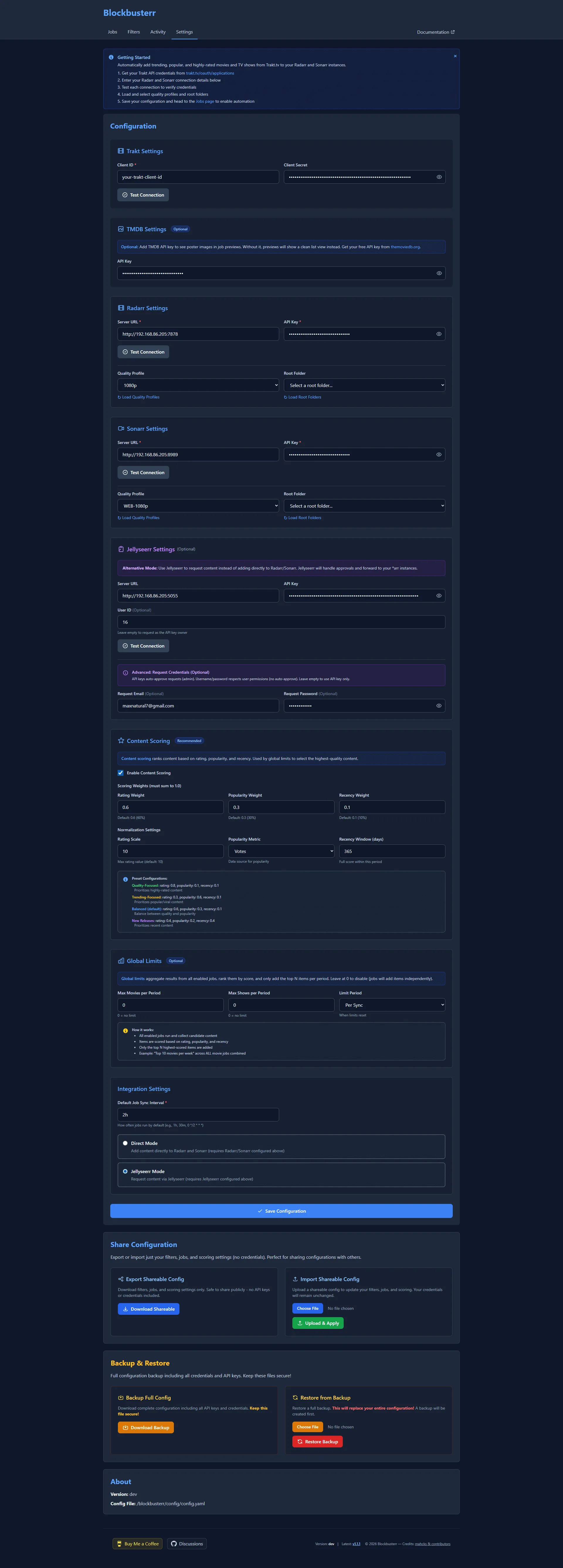
Connect Trakt (Required)
Edit config/config.yaml:
trakt: client_id: "your_client_id" client_secret: "your_client_secret"Then authorize via the Web UI to get tokens.
Connect Radarr (Optional)
radarr: enabled: true url: "http://radarr:7878" # Use container name api_key: "your_radarr_api_key" quality_profile_id: 1 root_folder: "/movies"radarr: enabled: true url: "http://radarr:7878" api_key: "your_radarr_api_key" quality_profile_id: 4 # HD-1080p root_folder: "/movies" search_on_add: true # Auto search monitored: true # Auto monitor minimum_availability: "released"Availability Options:
announced - As soon as announcedinCinemas - When in theatersreleased - When available (recommended)Click “Test Connection” in the UI
Or via API:
curl "http://localhost:9090/v1/radarr/validate"Expected response:
{ "valid": true, "message": "Connection successful", "version": "4.7.5"}Connect Sonarr (Optional) - Similar to Radarr setup
Choose a Job Type
Trending
What’s hot right now
Best for: Current buzzPopular
Most watched this week
Best for: Mainstream hitsSmart Popular
Adaptive rating thresholds
Best for: Balanced qualityConfigure with Filters
Start conservative - high quality only:
jobs: trending_movies: enabled: true schedule: "0 */6 * * *" limit: 10 filters: min_rating: 7.0 min_votes: 2000Balanced quality and quantity:
jobs: trending_movies: enabled: true schedule: "0 */6 * * *" limit: 20 filters: min_rating: 6.5 min_votes: 1000 exclude_genres: ["Documentary"] include_languages: ["en"]Full control with scoring:
jobs: smart_popular_movies: enabled: true schedule: "0 */6 * * *" limit: 25 base_min_rating: 7.0 adjustment_factor: 2.0 filters: min_votes: 1000 min_year: 2020 max_runtime: 180 exclude_genres: ["Documentary", "Reality"] include_countries: ["us", "gb", "ca"] scoring: rating_weight: 0.5 popularity_weight: 0.4 recency_weight: 0.1Preview Before Enabling
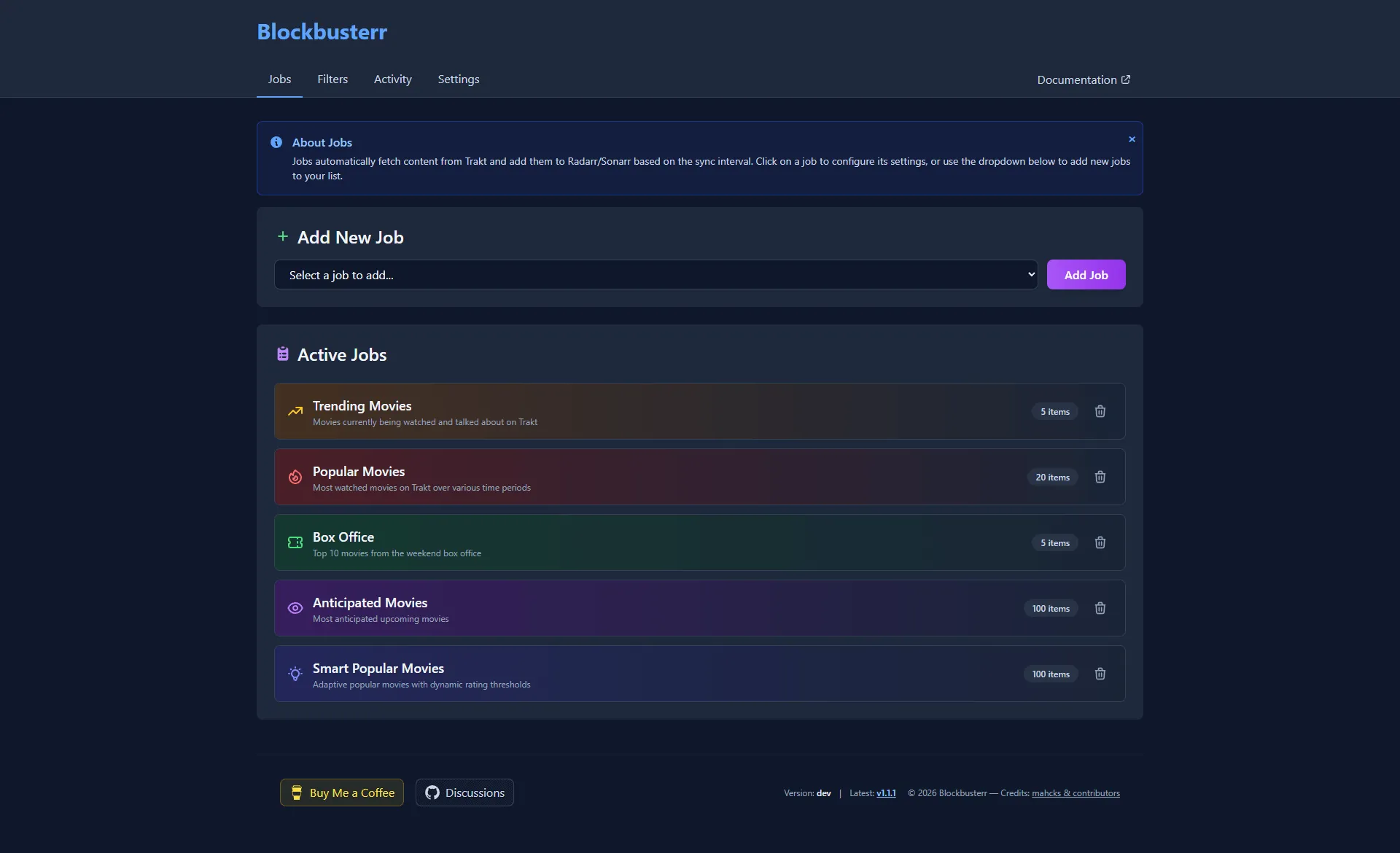
curl -X POST http://localhost:9090/v1/jobs/preview/trending-moviesGet only items that will be added:
curl -s -X POST http://localhost:9090/v1/jobs/preview/trending-movies \ | jq '.items[] | select(.filtered_out == false and .already_exists == false)'Enable and Monitor
Container won’t start?
docker logs blockbusterrCan’t connect to Radarr/Sonarr?
http://radarr:7878)Jobs not running?