Welcome to Blockbusterr
What does it do?
Section titled “What does it do?”Say you want to keep up with popular movies, but only want English-language titles rated at least 6 out of 10. Blockbusterr can check a movie feed regularly, apply those preferences, and send the matches to Radarr. You can give a sci-fi job different rules and limit how many movies get added.
Blockbusterr is free and open source. It works alongside your existing setup. Radarr and Sonarr still handle monitoring and downloads through your indexers and download client; your media server still plays the files.
How a movie gets into your library
Section titled “How a movie gets into your library”- A source finds candidates. For example, TMDB returns its current trending movies.
- A job chooses how to check that source. It has a schedule, a movie or show type, and a discovery limit.
- Your rules decide which candidates fit. You can check things like genre, language, release year, rating, and vote count, depending on the data the source supplies.
- Delivery checks decide what can be sent. Existing titles, repeat settings, and delivery caps can keep a matching title from being added.
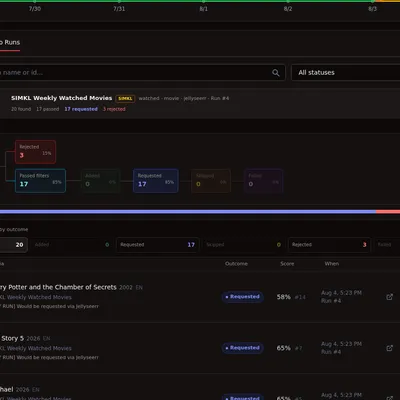
- Radarr, Sonarr, or Jellyseerr/Seerr receives the result. Activity shows what happened and why.
For example, a job might find 50 movies, pass 12 through your rules, skip 4 already in Radarr, and add only 3 because you set a job delivery cap of 3. Finding 50 does not mean downloading 50.
What can I set up?
Section titled “What can I set up?”| I want to… | Start with… |
|---|---|
| Keep up with popular movies | A TMDB Popular or Trending movie job with a minimum rating |
| Find sci-fi I might enjoy | A movie job with science-fiction under required genres and your own rating floor |
| Find films similar to favorites | A TMDB Recommendations job with a few favorite movie IDs |
| Follow a list or watchlist | A List or Watchlist job using a supported provider |
| Add shows instead of movies | A TV Show job delivered to Sonarr |
| Send requests for review | Jellyseerr/Seerr delivery, with approval permissions configured there |
| Keep additions manageable | A job delivery cap, plus Global Limits shared by your jobs |
| Give several jobs a fair share | Optional ranked selection, after you have individual jobs working |
The worked examples explain the settings and tradeoffs for these setups.
Do I need Trakt or MDBList?
Section titled “Do I need Trakt or MDBList?”No. For a first movie job, you can use TMDB directly. You need a source for movie information and a destination such as Radarr; you do not need every supported integration.
TMDB and Simkl support discovery feeds. Trakt adds other feed types, including Box Office. MDBList is optional for people who already use lists or need filtering offered there. Each provider has different credentials and access requirements; see the TMDB, Simkl, Trakt, and MDBList guides before choosing.
What should I know before building rules?
Section titled “What should I know before building rules?”- Rules filter the candidates a job finds. A sci-fi rule on Trending searches within that fetched batch, not every sci-fi movie ever made.
- Ratings belong to the source. A TMDB rating is not an IMDb rating or a critic score. Blockbusterr’s ranking score is another separate value.
- Some requests are only partly supported. Popularity is not box-office revenue, and a high audience rating with few votes does not identify an indie film praised by critics. There is no built-in critic-score or independent-film filter.
- A rule needs data to check. Some list sources return titles and IDs without ratings or genres. Their limits are explained in the integration guides.
- Adding a movie is not the same as downloading it. Availability, quality profiles, monitoring, and searches in Radarr or Sonarr still matter.
Where to go next
Section titled “Where to go next”- New installation: Set up your first job.
- Already running Blockbusterr: Try a worked example.
- Unsure what a setting means: Read Jobs and Rules.
- A title did not get added: Follow Activity and troubleshooting.
- Coming from v1: Use the upgrade guide before changing your container.